You can view learners OnTrack+ data from the OnTrack+ section on the main navigation bar and also from a learner's individual learner profile.
This article walks you through the different ways to view learners' OnTrack+ data and the data that is available.
We recommend integrating OnTrack+ into your routines termly for data analysis, cross-team triage and action-tracking to create a transparent, joined-up careers learning journey for every learner.
View learners' OnTrack+ data via OnTrack+
1. Log in to Compass+ using your email address and password - https://auth.careersandenterprise.co.uk/compassplus
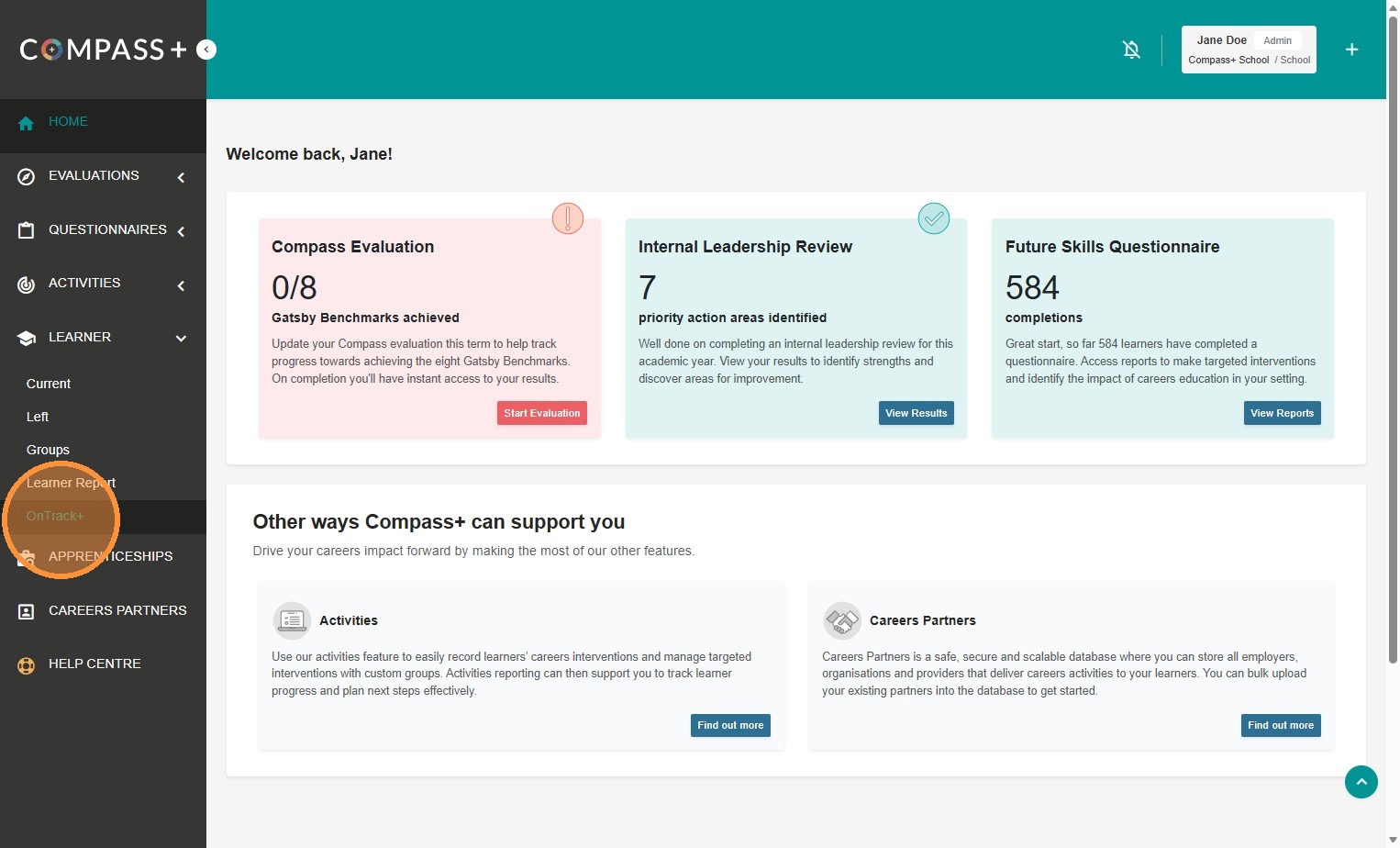
2. From the main navigation bar go to Learner > OnTrack+ in the main navigation bar:
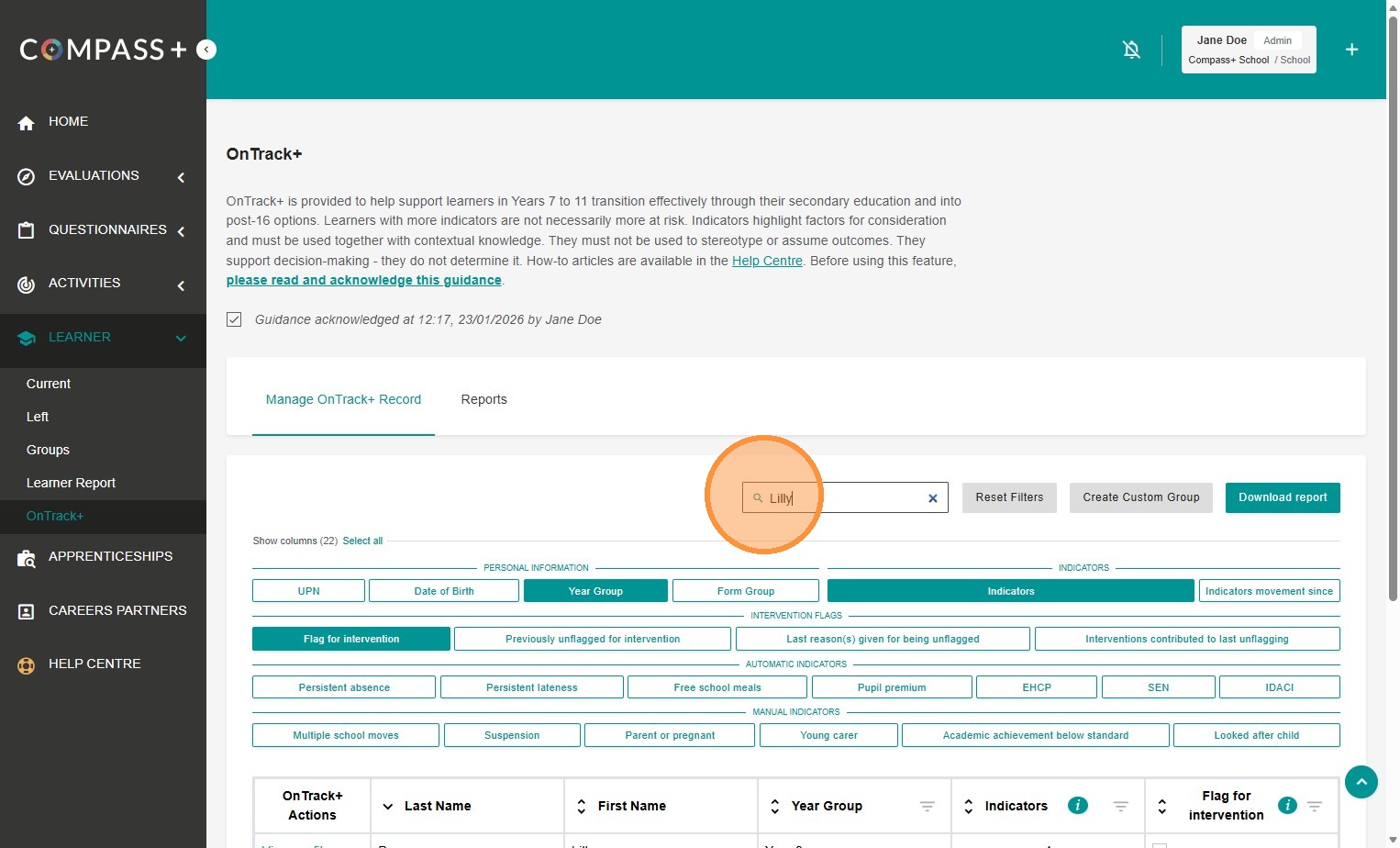
3. Use the search bar to look for specific learners:
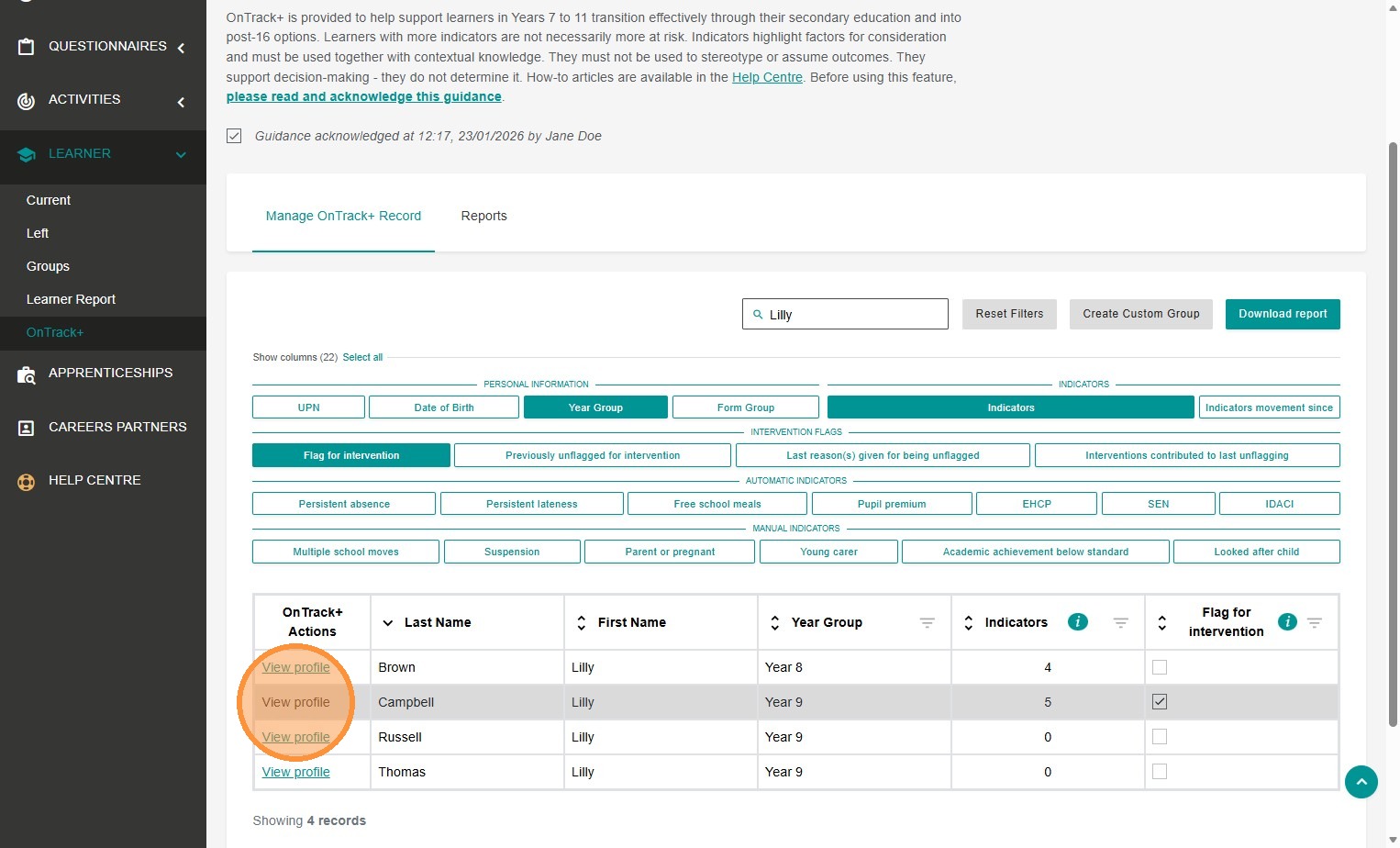
4. Click on 'View profile' to review their OnTrack+ data:
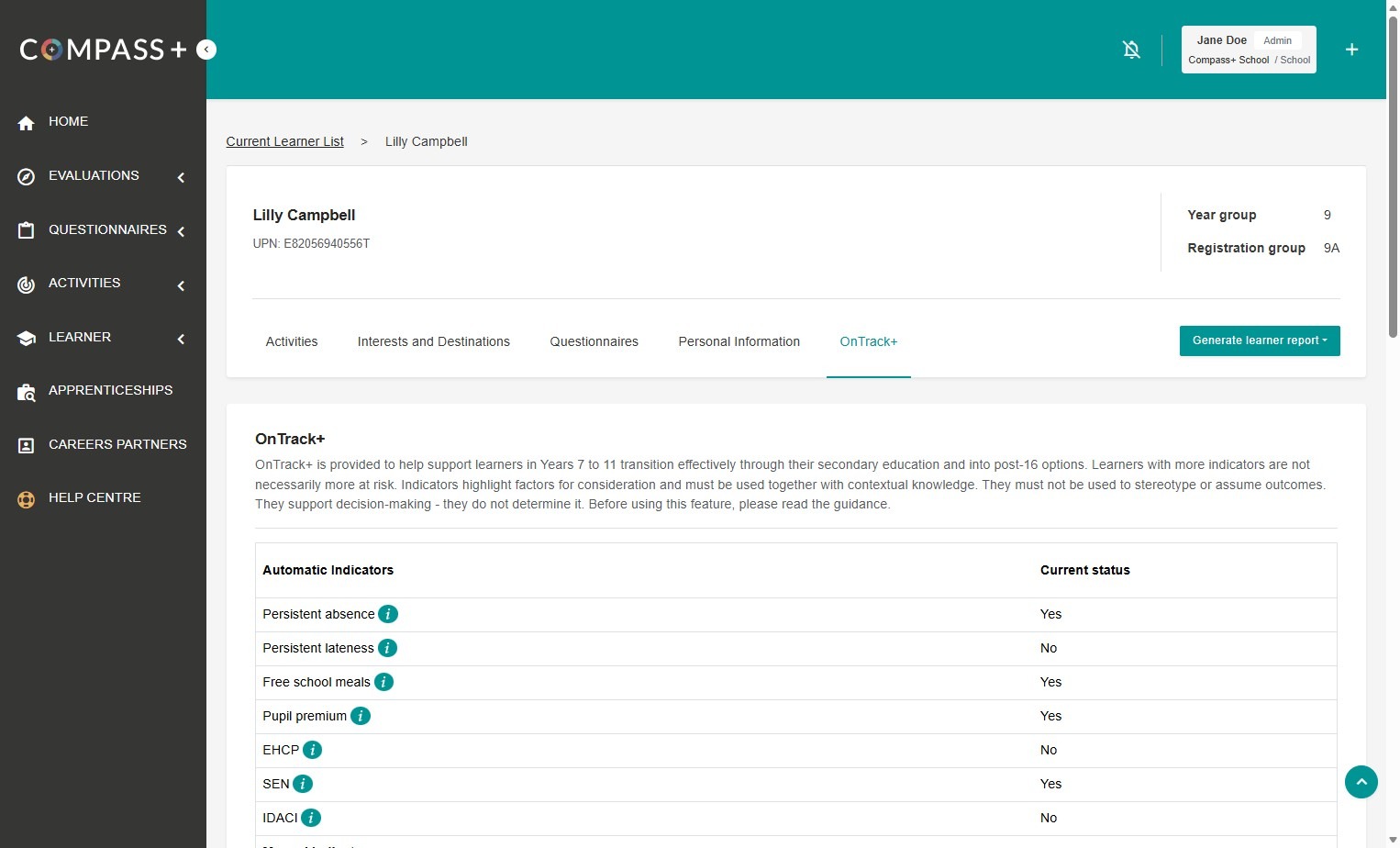
5. You will go straight to the OnTrack+ tab of the learners individual learner profile:
View learners' OnTrack+ data via the Learner Profile
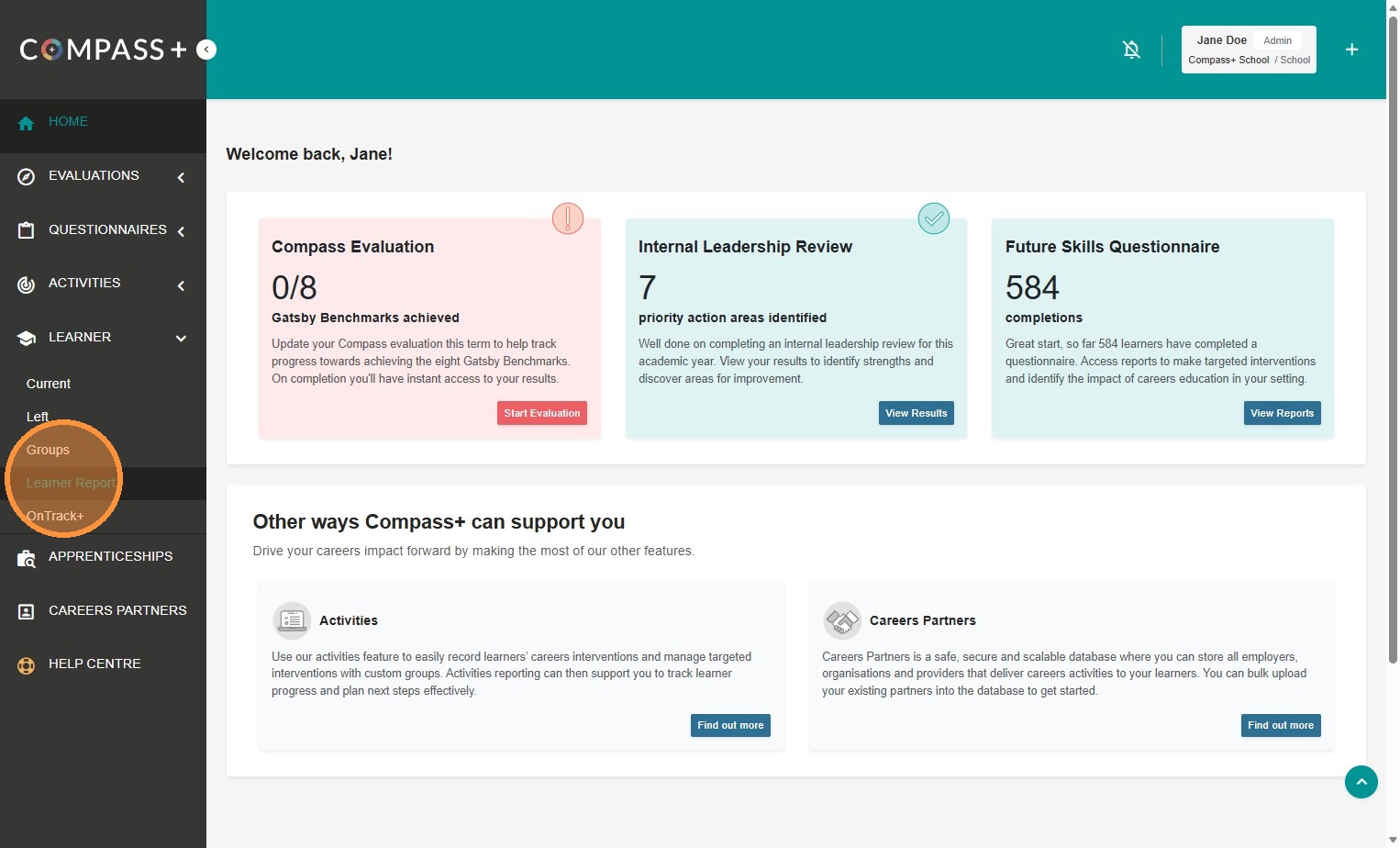
1. Click on Learner > Learner Report:
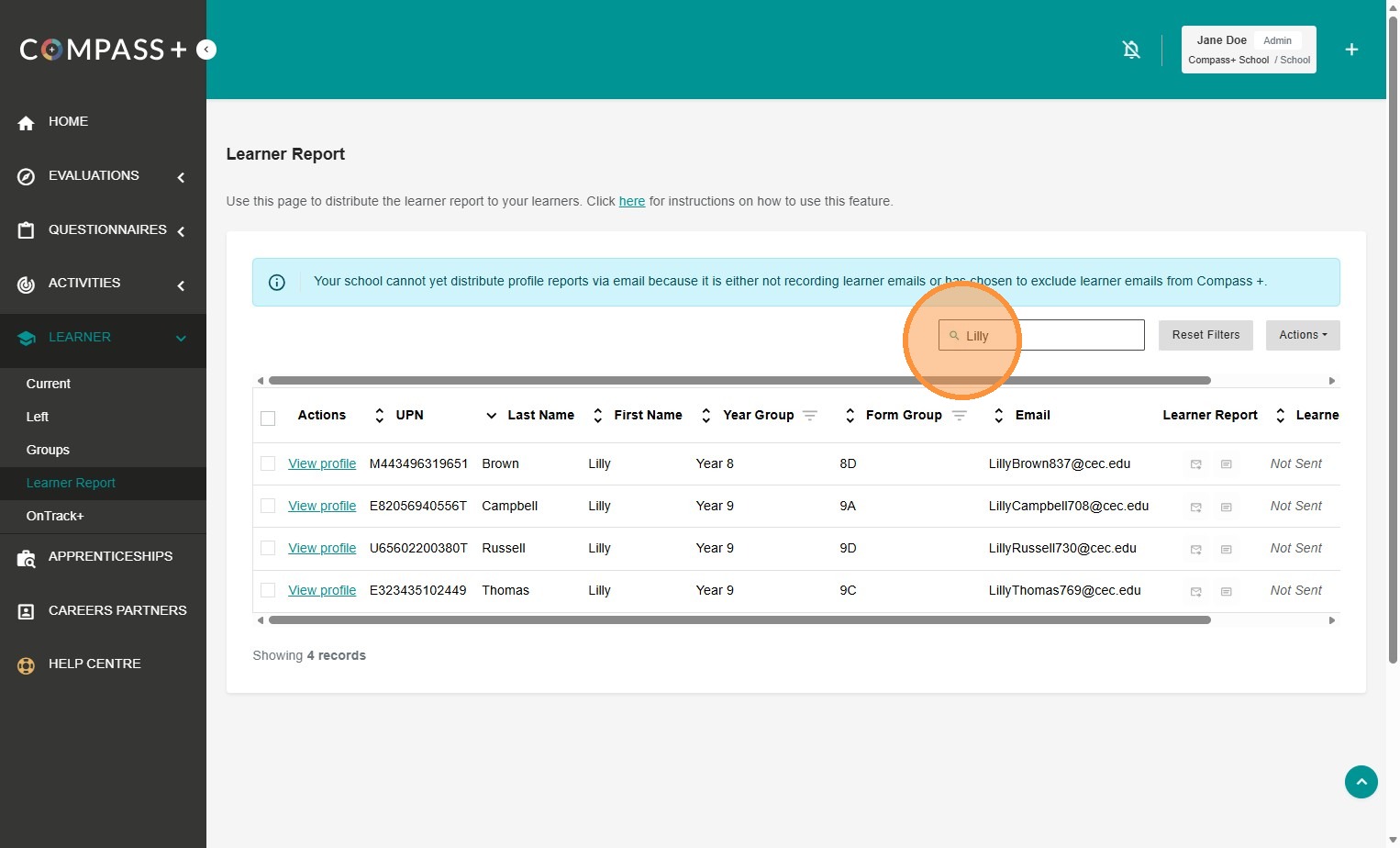
2. Use the search bar to look for a specific learner:
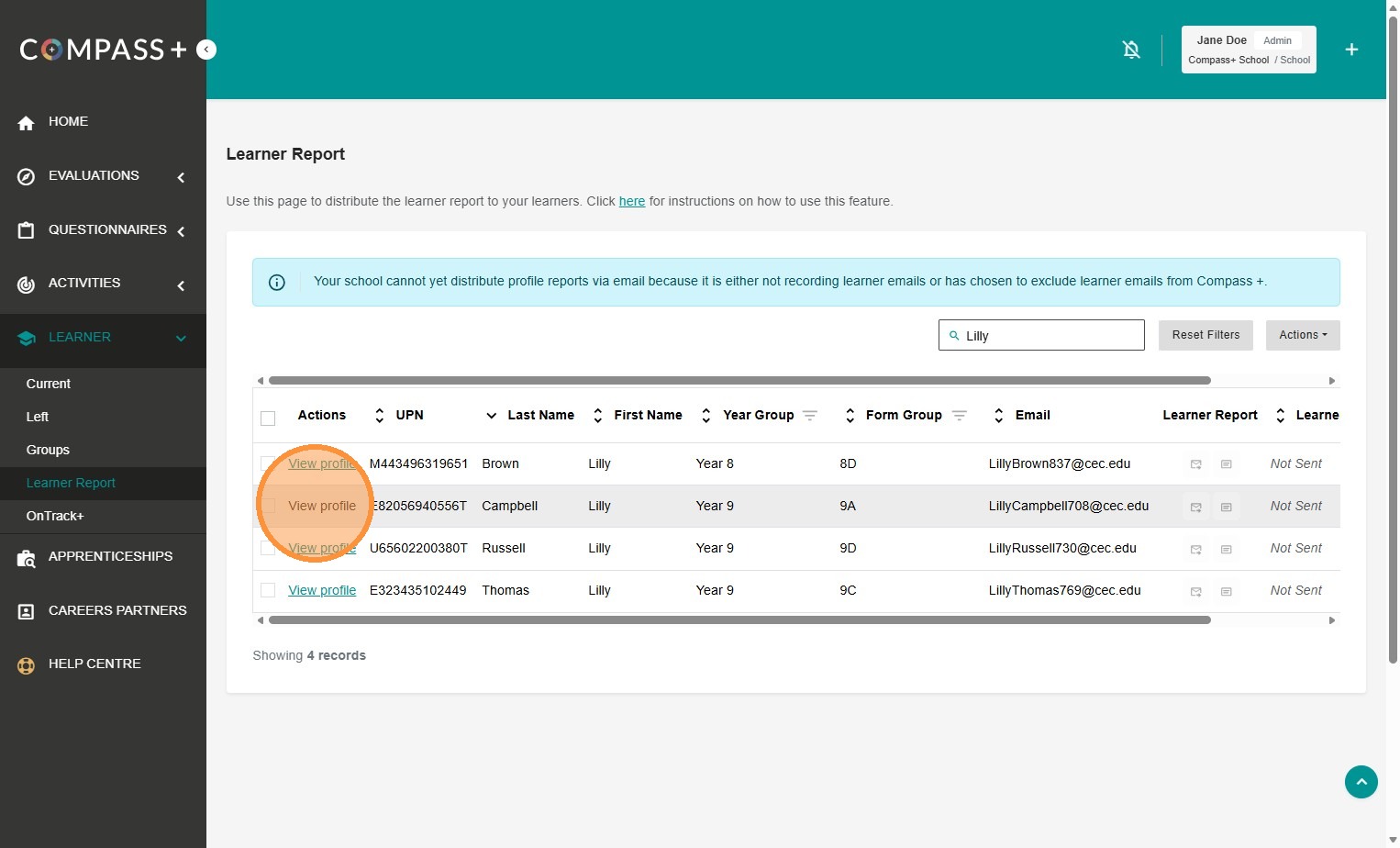
3. Click on 'View profile':
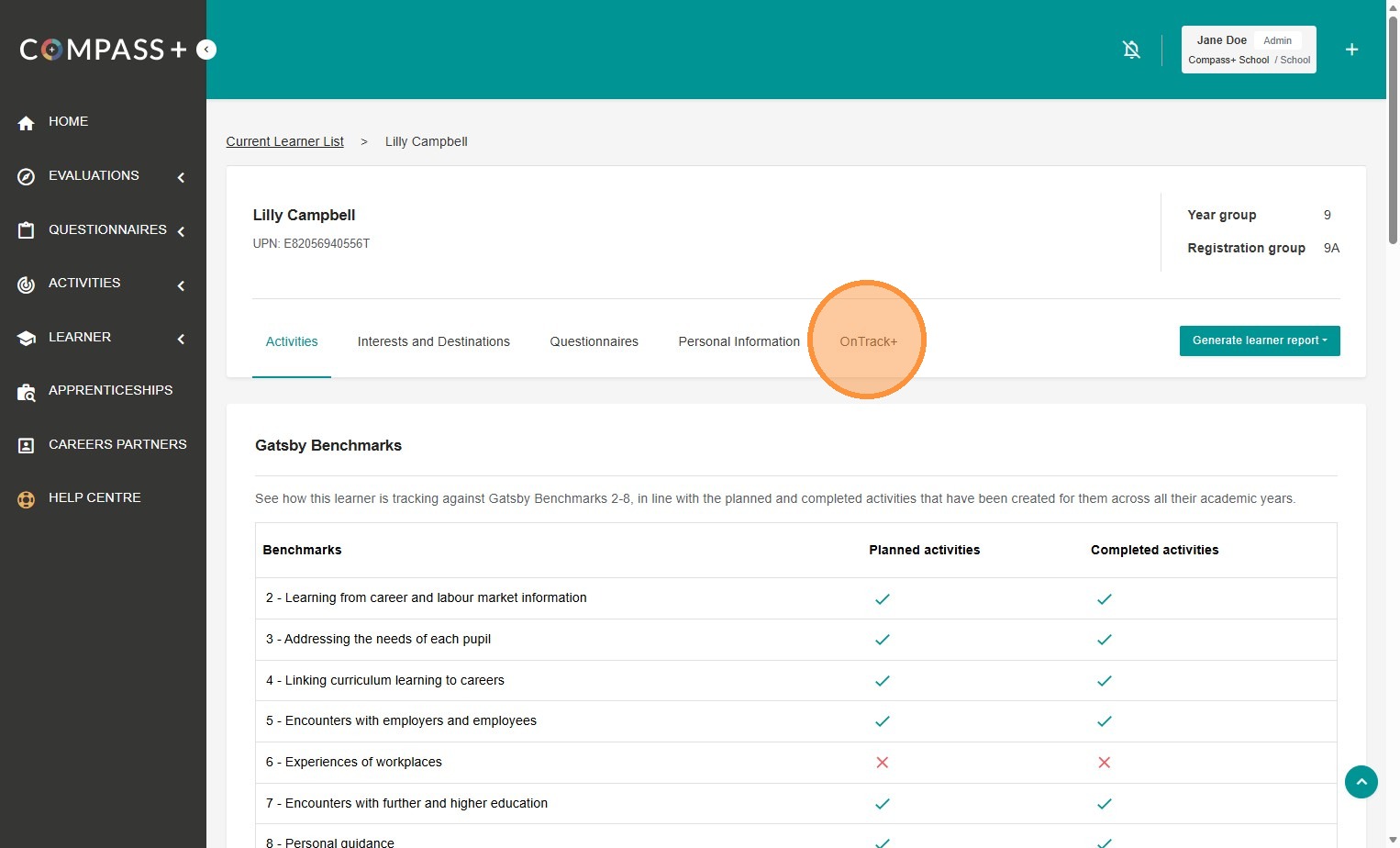
4. Click the 'OnTrack+' tab:
Learners' OnTrack+ Data
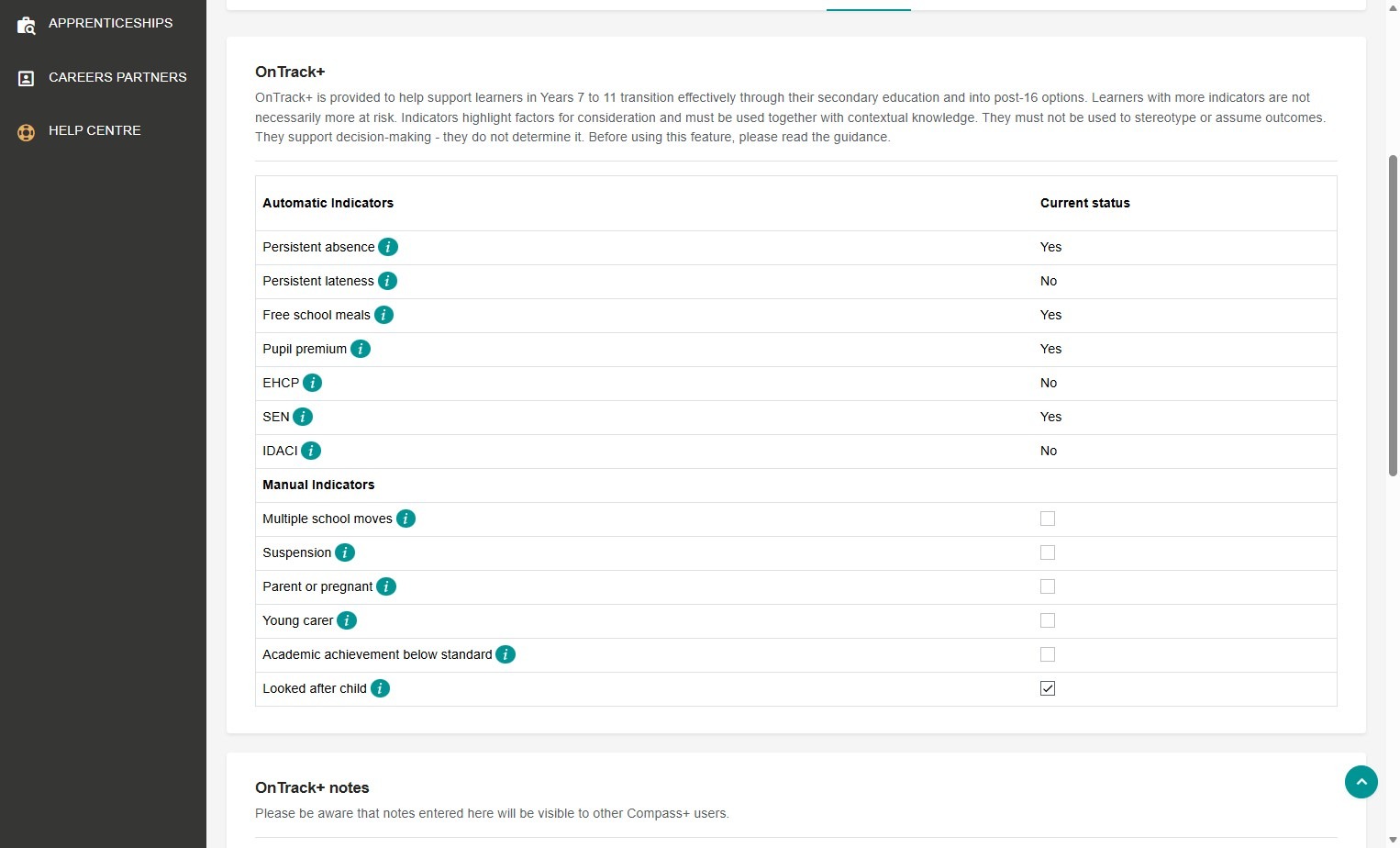
You can see the learner's current status for automatic and manual indicators:
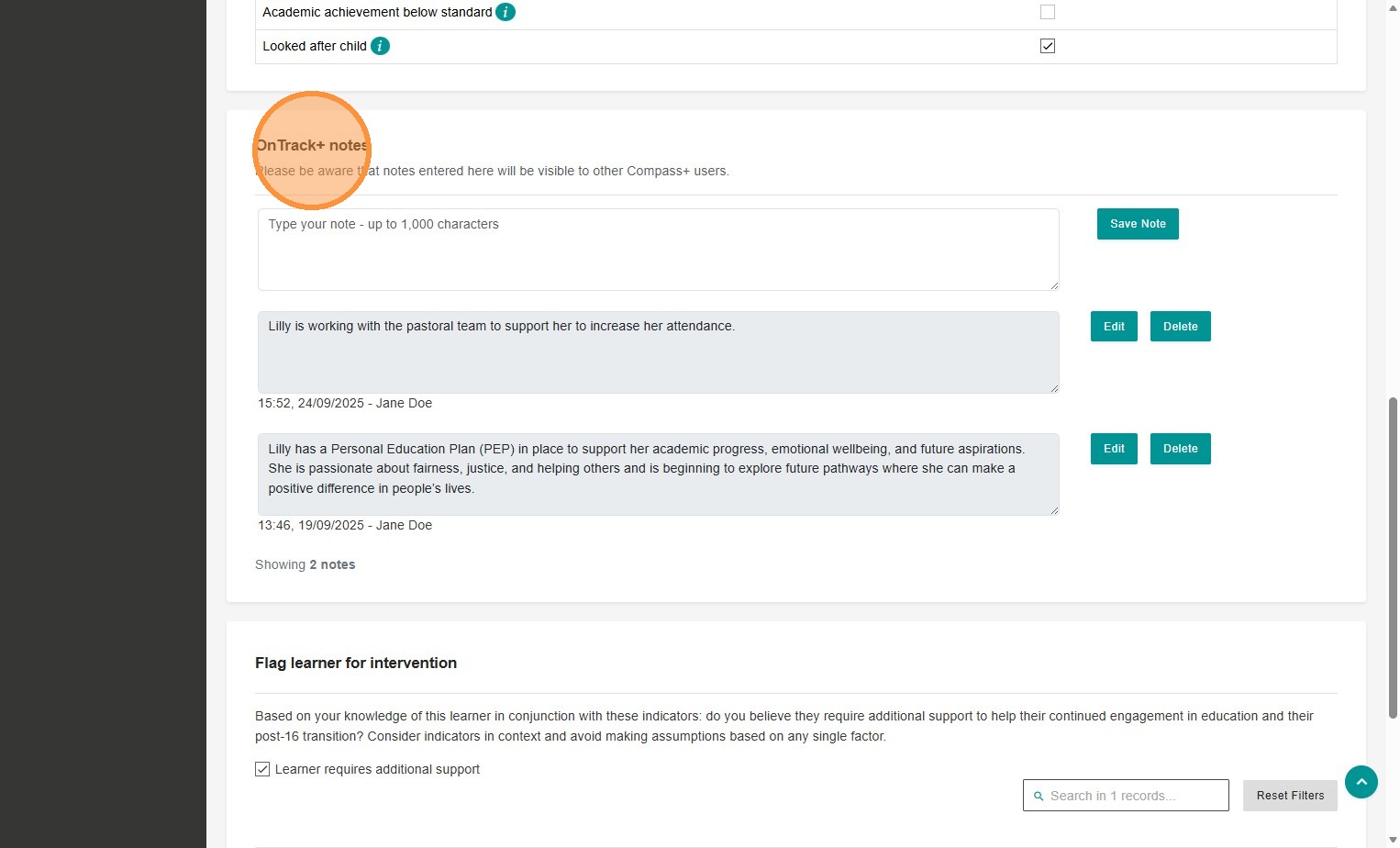
You can access recorded OnTrack+ notes and save your own notes for this learner:
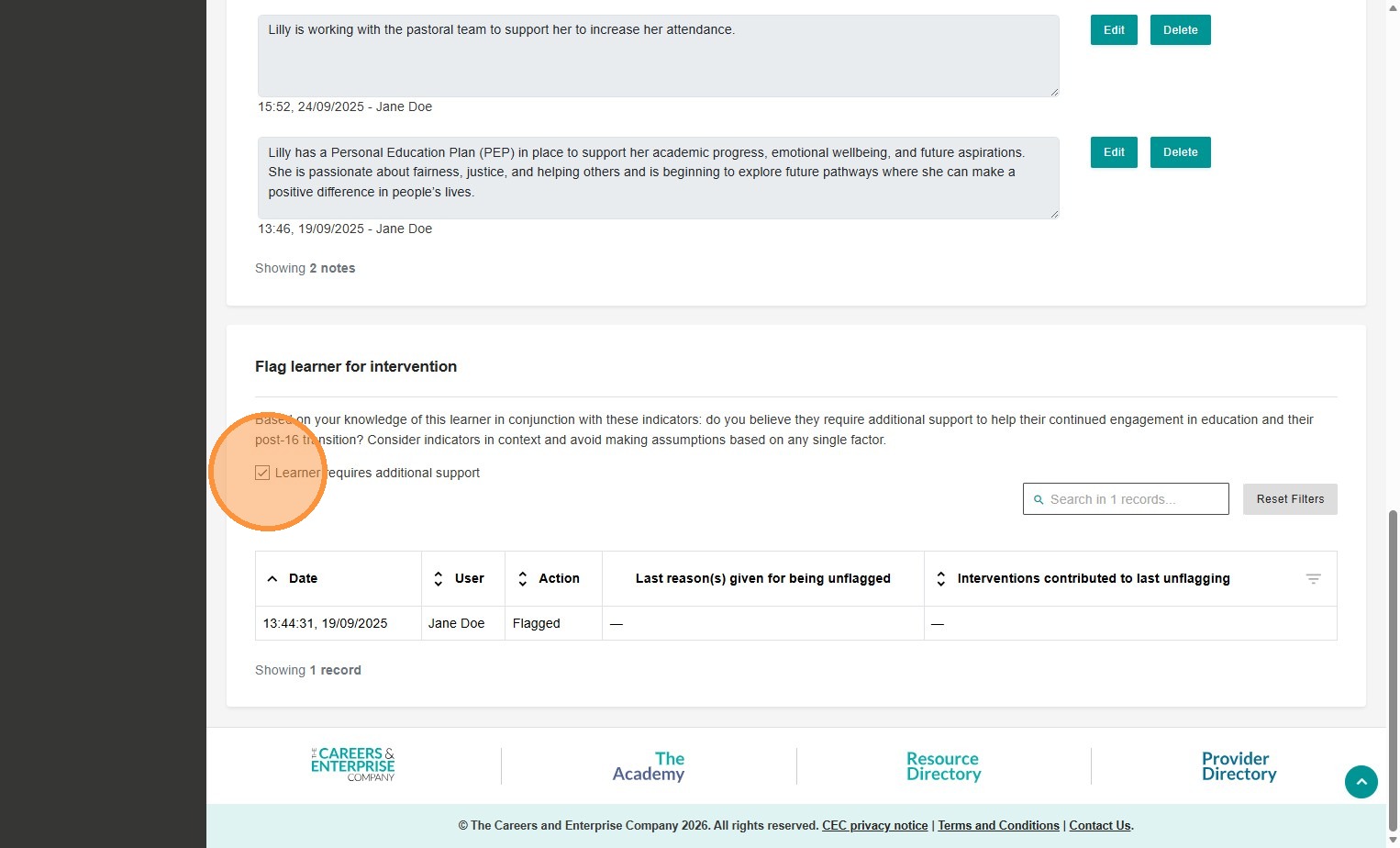
You can see when learner's have been flagged or unflagged for intervention and understand the reasons and contributions towards to the unflagging:
You can also unflag a learner for intervention from here too:
Please see this article to learn more about unflagging learners for intervention > Unflagging for intervention in OnTrack+